
One record
for every team.
Projects, people, time, and finance.
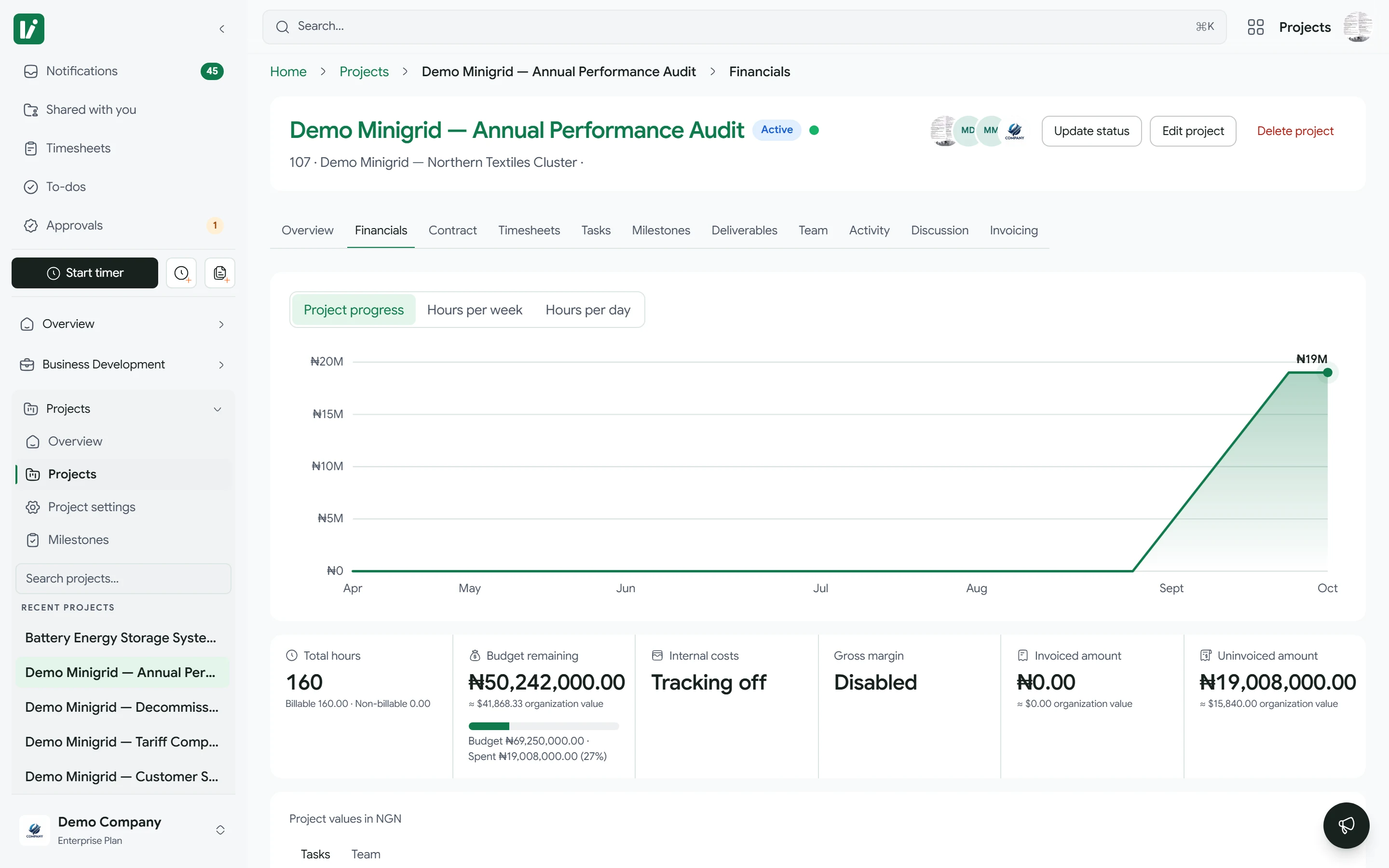
A milestone marked billing-ready becomes the invoice request. Nobody retypes it.
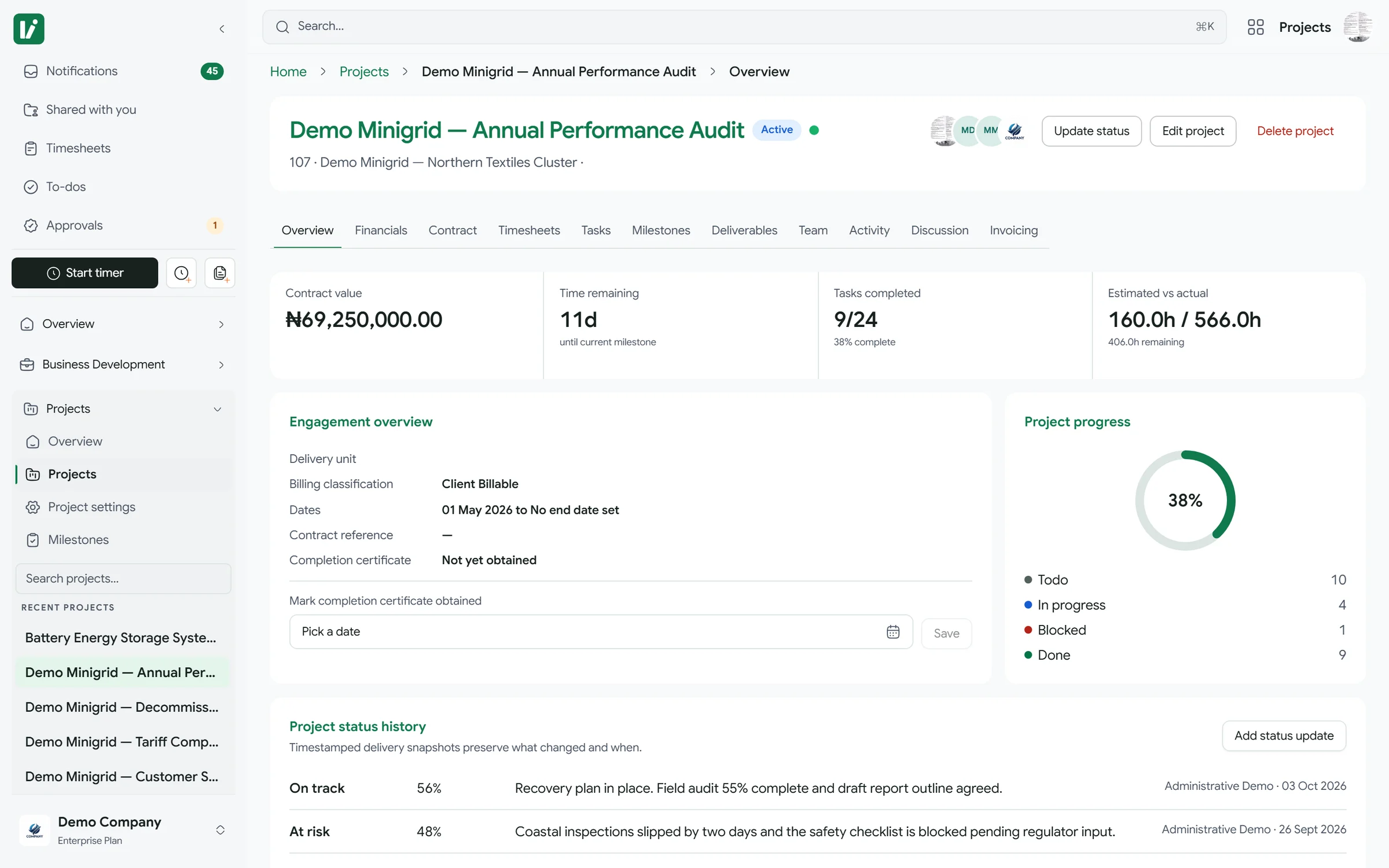
Built for consulting firms, agencies, and donor-funded organizations
How Kora fits together
One workspace across
every core business function.
Projects, finance, people, recruitment, business development, and reporting share one set of records.
01 / Projects
From the first brief. To the final milestone.
Run every engagement from kickoff to closeout in one place.
Open the projects module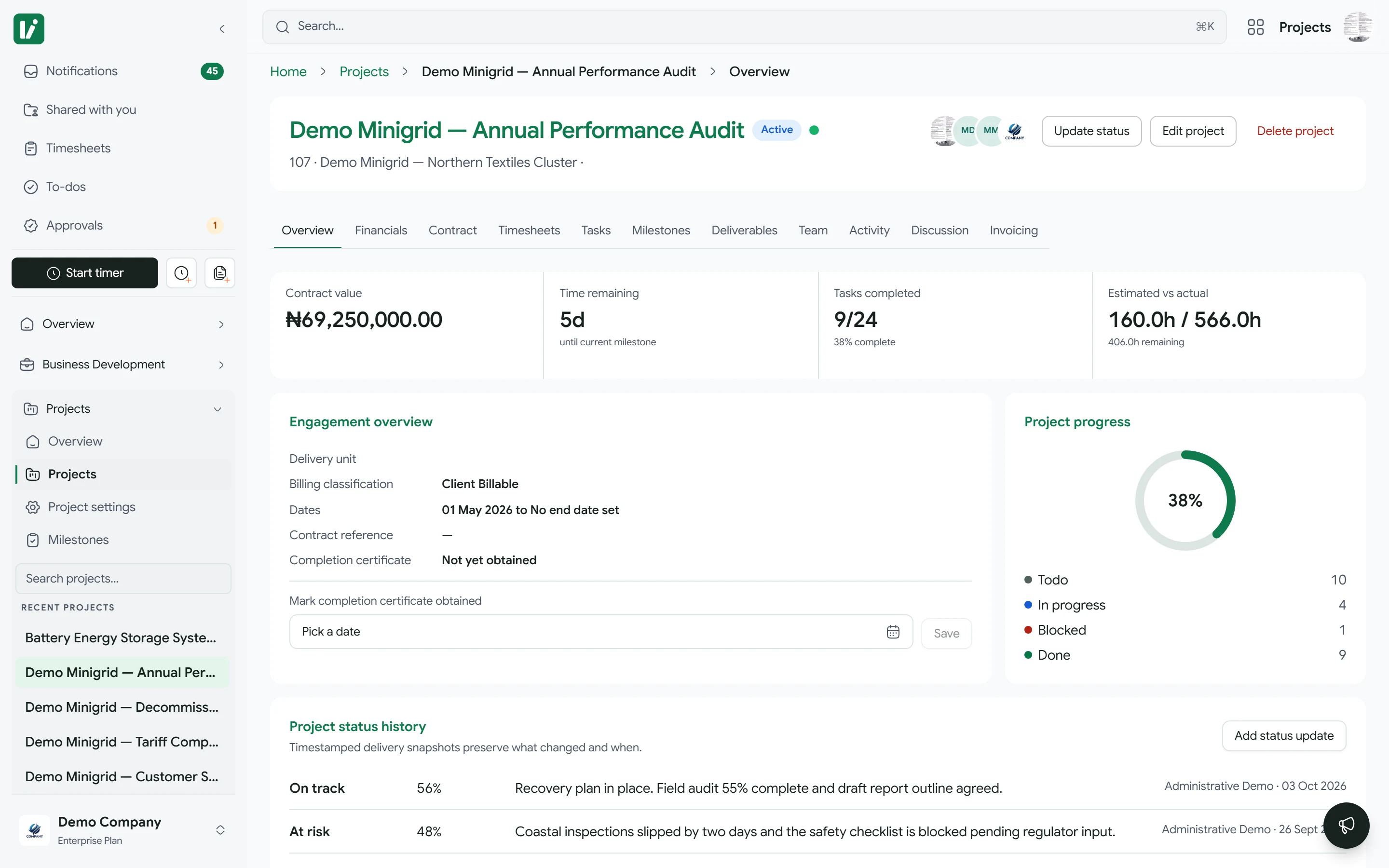
Inside Kora today
More of your working day,
connected.
People records, project numbers, and purchasing sit in the same workspace as the projects.
See where
the work stands.
Review project performance, build reports in the report builder, and compare custom date ranges.
See the reporting moduleGetting started? Read the guides
The Kora platform
Every module reads
from the same records.
Switch modules on per organization. Role permissions decide who sees what in each one.
One action moves the next team forward.
Mark a milestone billing-ready and the invoice request is built from it. Finance picks it up without retyping a figure.
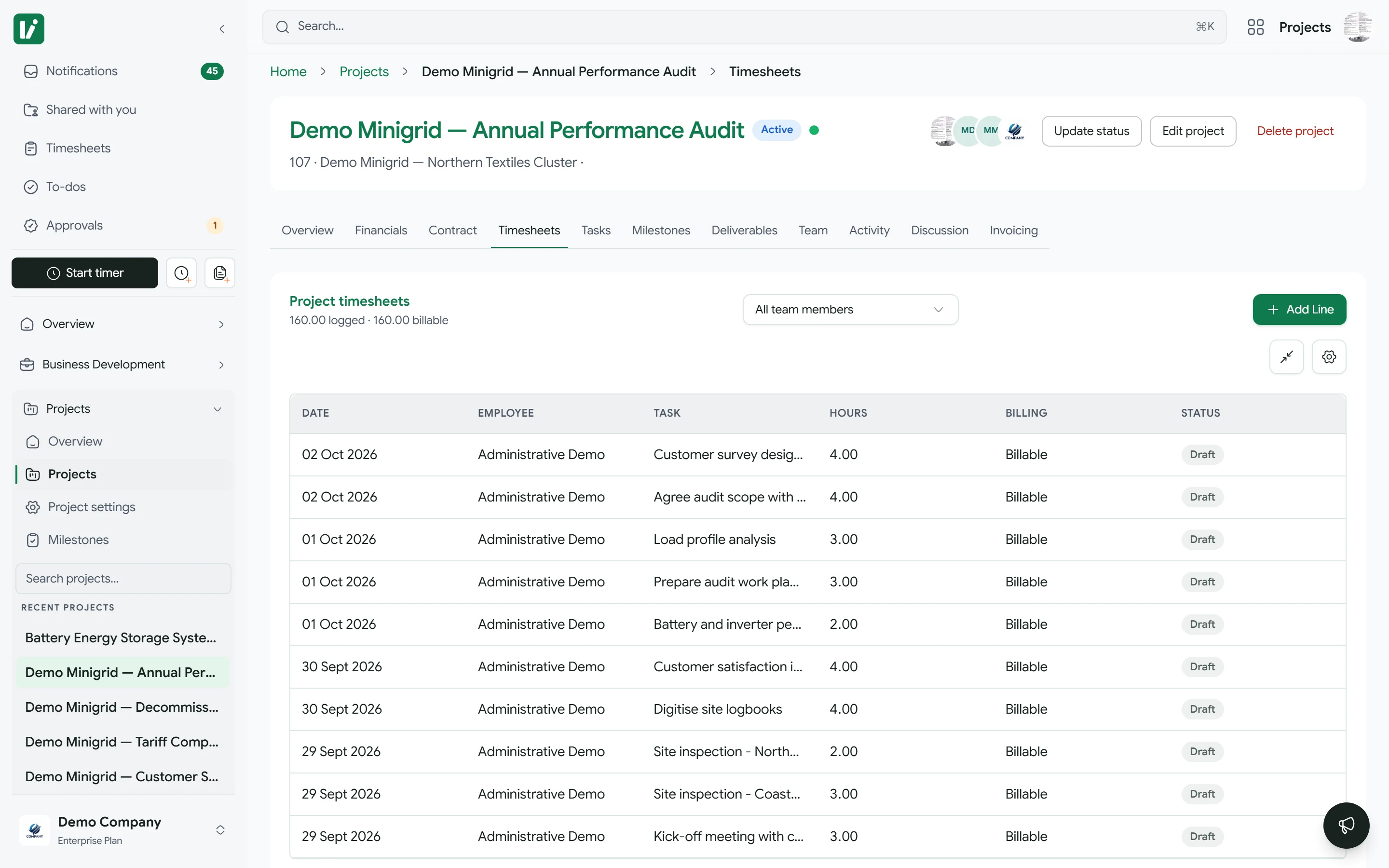
Time tracking
Log time against the projects you are staffed on.
Run a timer or add a manual entry. Reviewers see the week per person, with billable totals.
Connects to Microsoft 365, Google Workspace, and Slack.
Each connection is authorised through the provider’s own consent screen and does one named job.


Documents
Project folders and deliverables stored in the library your team already uses.


Invitations, approval reminders and invoice delivery, sent from your own domain.

Calendar
Milestones, task due dates and meetings land in the calendar people actually check.


Chat
Approval, milestone and invoice-readiness alerts in the channel your team already watches.
Common questions
Is Kora one product or several tools bundled together?+
One product, one login, one permission model. Projects, time tracking, billing, HR, and BD/CRM all read from the same underlying data. A milestone marked billing-ready is what an invoice request is built from.
Can we turn off modules we don't need?+
Yes. Modules are enabled per organization, and role permissions control who sees what within an enabled module.
How does Kora handle roles and data visibility?+
Roles and module permissions control which records and actions each person can access. Department and ownership scope apply where supported; sensitive employee data has additional controls and PIN verification.
What integrations does Kora support today?+
Microsoft 365 and Google Workspace support document, email, and calendar workflows. Slack and Zoom also have connection workflows. The integrations catalog shows provider availability; connection setup depends on your organization and deployment.
How is Kora priced?+
Per active user per month, based on which modules your organization enables. Talk to sales for a quote based on your team size and modules. There is no flat per-seat number, because module selection changes the price meaningfully.
Put delivery, time, billing, and people on one record
Request a demo to see how the modules fit the way your teams already work.
Request a demo