
Delivery · Time Tracking & Timesheets
The same week, five ways.
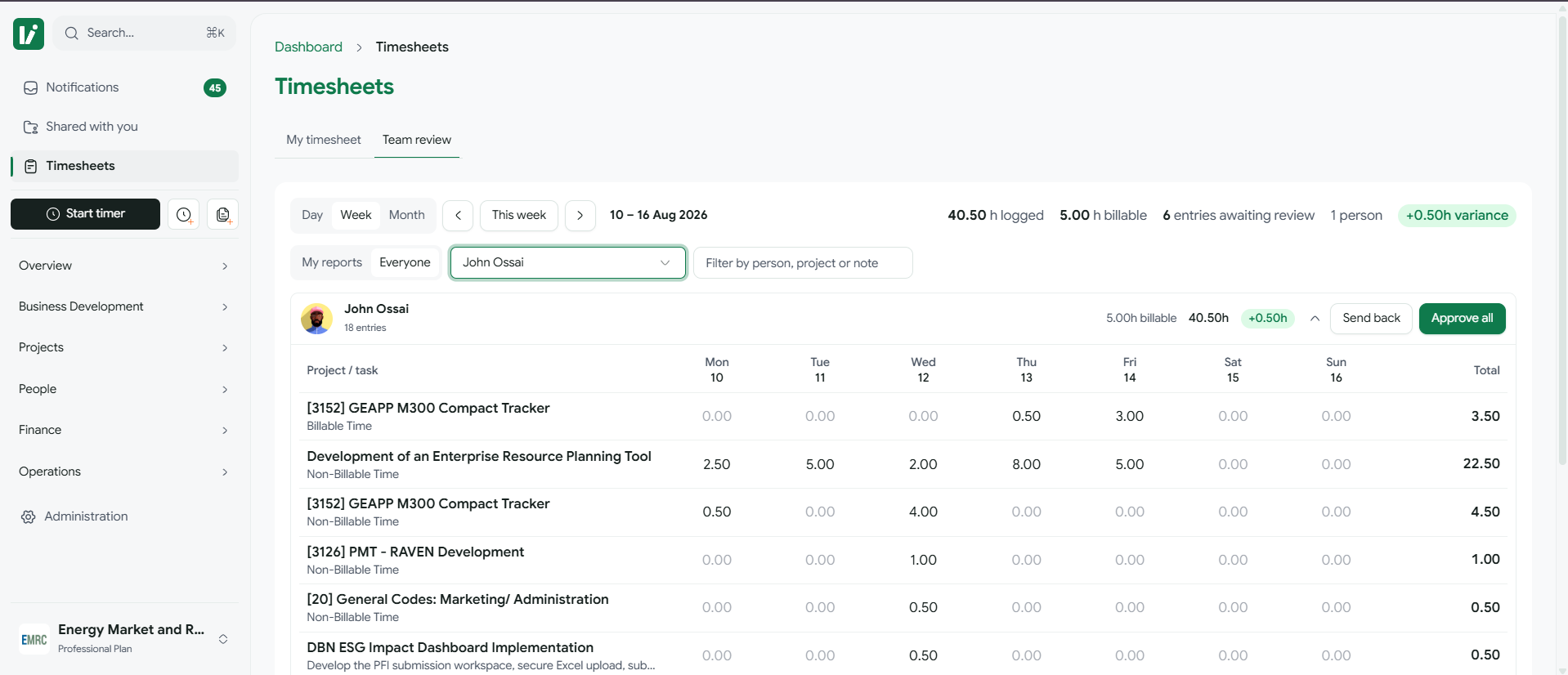
Day, week, month, calendar, and a reviewer's team view — over one set of entries.
One date at a time, for people who log as they go. Running timers appear here live.
Each view fetches only the range it shows.
Current capabilities
What you can do in Time Tracking & Timesheets
Concurrent timers, a weekly grid built for speed, and a history picker that reuses yesterday's line.
- Live timers you can run in parallel across projects
- Week, day, and month views that fetch only the range you're looking at
- Submit/approve workflow with reviewer-only visibility into the team's time
- Billable vs. non-billable split feeds straight into project financials
Entry, in as few actions as possible.
Every one of these exists because retyping is the reason timesheets go unfilled.
- 01Start a timer on a row and leave it running — several at once, across projects, with a bar that follows you around the app.
- 02Reuse yesterday's line from the history picker instead of re-picking project, task, and description.
- 03Pull a suggestion straight off your connected calendar when the meeting was the work.
- 04Mark billable or not as you go; the split feeds project financials without a second pass.
Submitted, then actually reviewed.
Approval is a real state, not a checkbox someone ticks in bulk and forgets.
Who can see the team's hours?
A spreadsheetAnyone with the file
KoraReviewers only, scoped to the people they review
What happens to a wrong entry?
A spreadsheetSomeone edits it quietly
KoraSent back with a reason, to the person who logged it
Where do the totals go?
A spreadsheetCopied into the billing sheet
KoraStraight into project financials, billable split intact
Variance you can see while there's still time.
Logged against billable, per person, per week — with the difference shown as it accrues rather than reconstructed at the end of the month.
Next
Where this connects.
See Time Tracking & Timesheets on your own work.
We'll run a live project of yours through it rather than showing a demo tenant.
Request a demo