
Finance · Billing & Invoicing
From a billing-ready milestone to a numbered invoice.
Request, review, issue — three steps, each with its own permission.
01Request
DraftSubmitted
02Review
ApprovedQueriedRejected
03Issue
SentPartially paidPaidOverdue
Raising a request and issuing money are separate permissions.
Current capabilities
What you can do in Billing & Invoicing
Request, review, issue — then issue on a real invoice canvas with your own colour, font, and section order.
- Milestone-to-invoice workflow with submit / approve / query states
- A dedicated issuing page with a live, on-brand invoice preview
- Status tracking through sent, partially paid, paid, and overdue
- Outstanding and overdue totals surfaced by currency, not buried in a table
An invoice canvas, not a settings form.
Pick the template, set the accent colour and font, reorder the sections, add line items — and watch the actual invoice change as you do it, rather than saving and hoping.
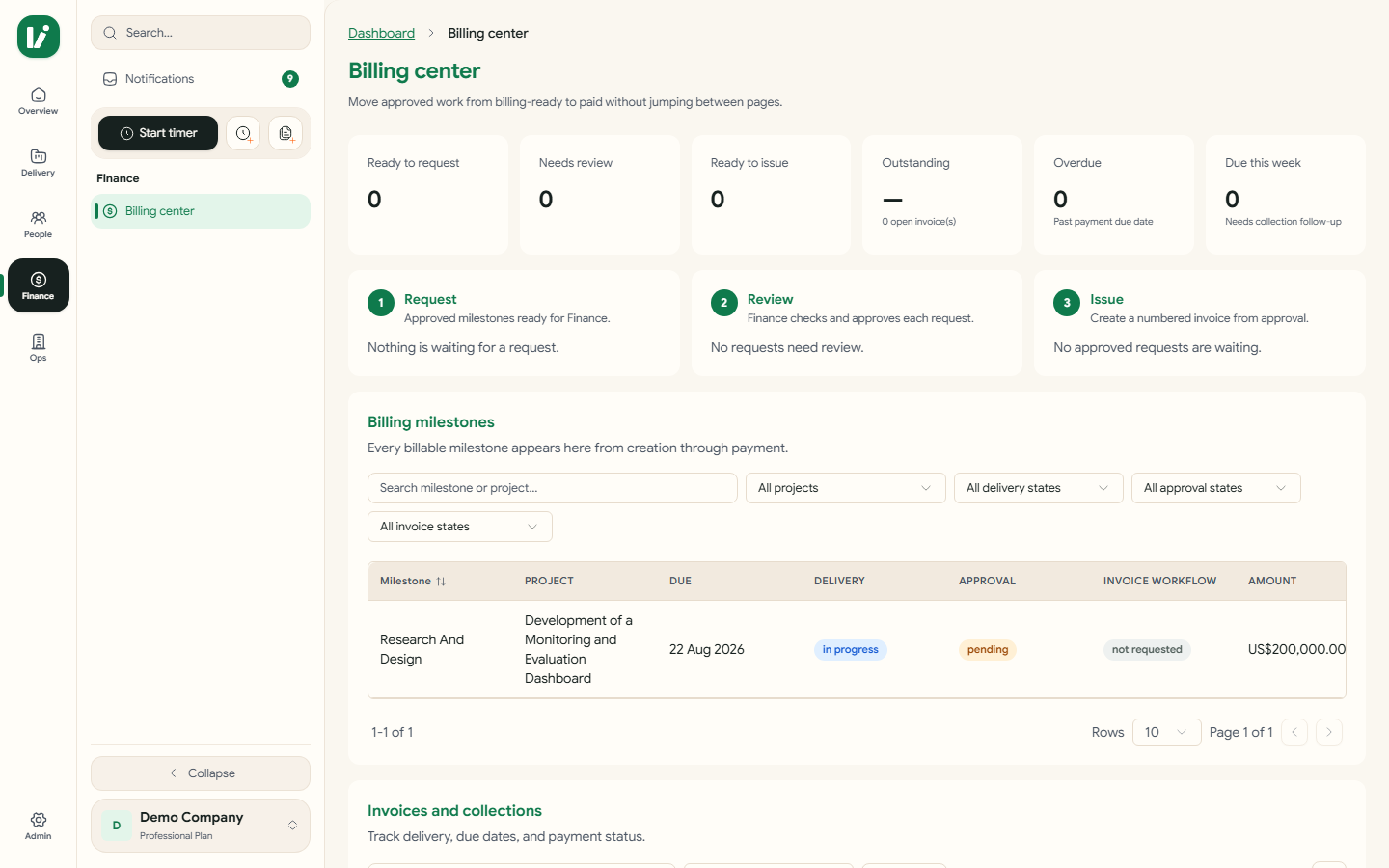
What finance sees
The queue, not the archaeology.
Ready to requestMilestones delivery has marked billable, waiting for someone to raise the request.
Awaiting reviewRequests submitted, with who raised them and against which milestone.
Ready to issueApproved requests waiting on the issuing step — the only place an invoice number is assigned.
OutstandingSent, partially paid, and overdue totals surfaced by currency rather than summed into a meaningless single figure.
Why a query isn't a rejection
A queried request goes back with a question and keeps its history. A rejected one is closed. Collapsing the two is how teams end up re-raising the same request three times with no record of what was asked.
Next
Where this connects.
See Billing & Invoicing on your own work.
We'll run a live project of yours through it rather than showing a demo tenant.
Request a demo